






Global reach
at your fingertips

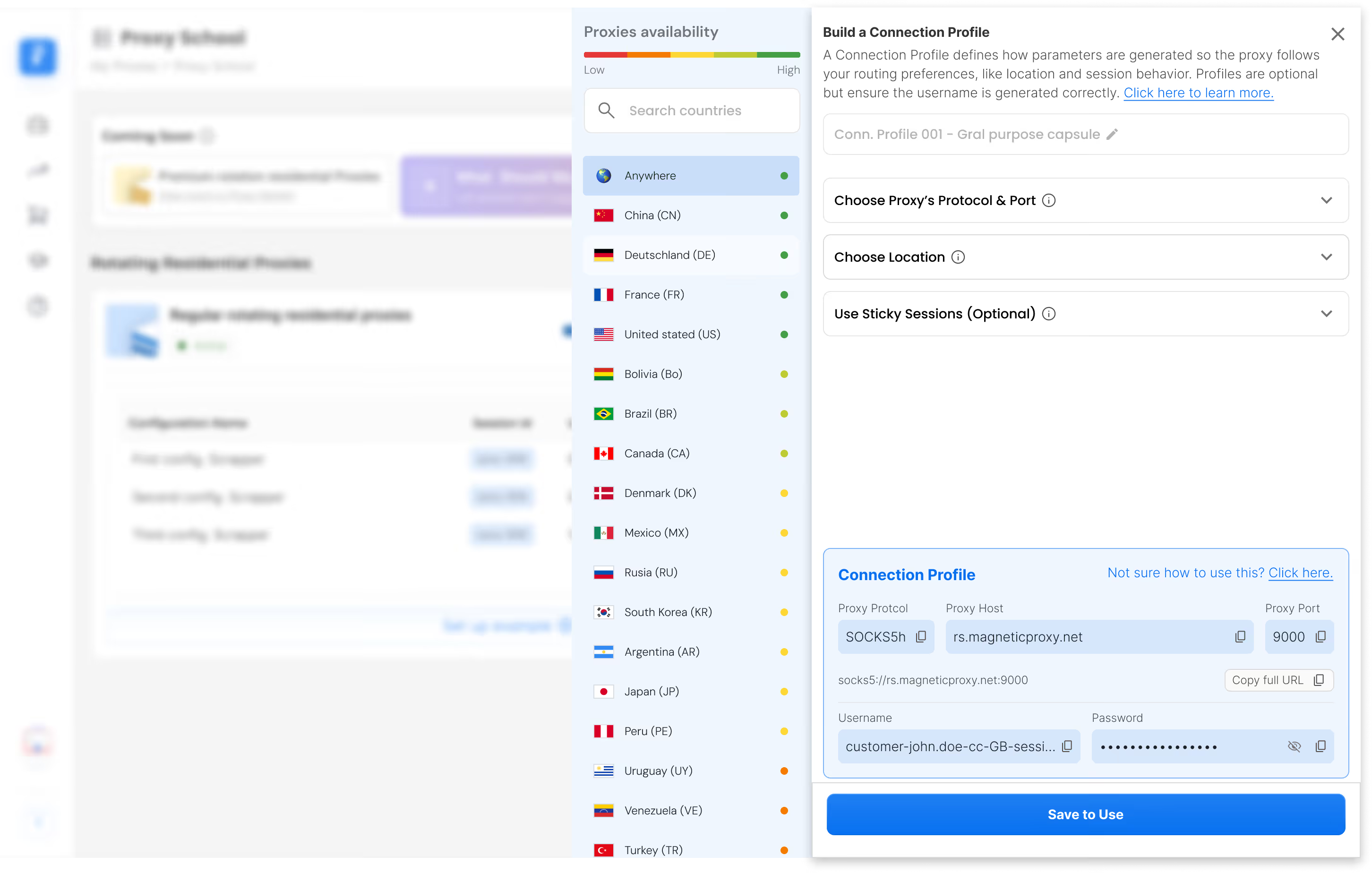
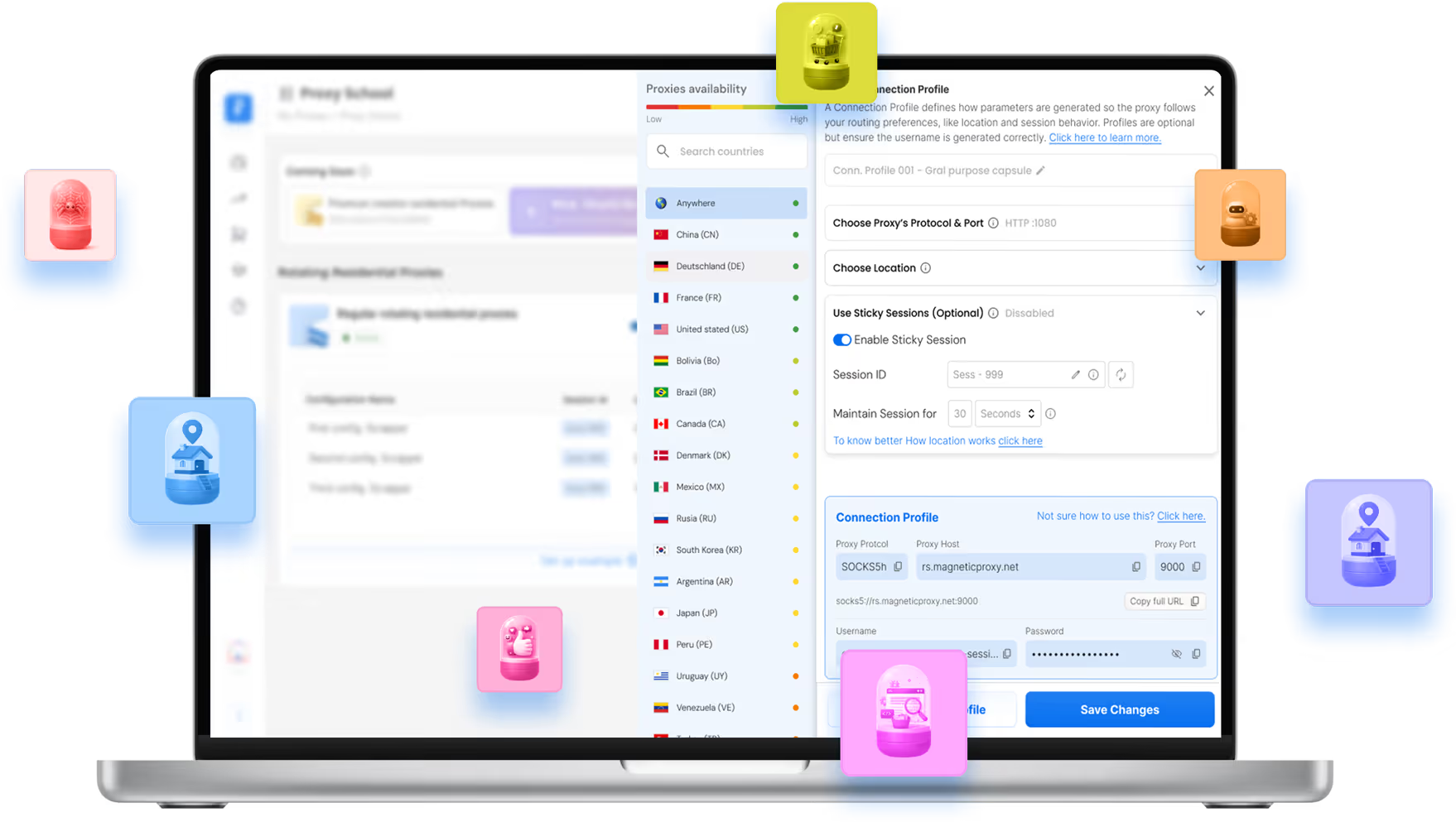
You choose the country,
we'll handle the connection
Find the Right Proxy Capsule
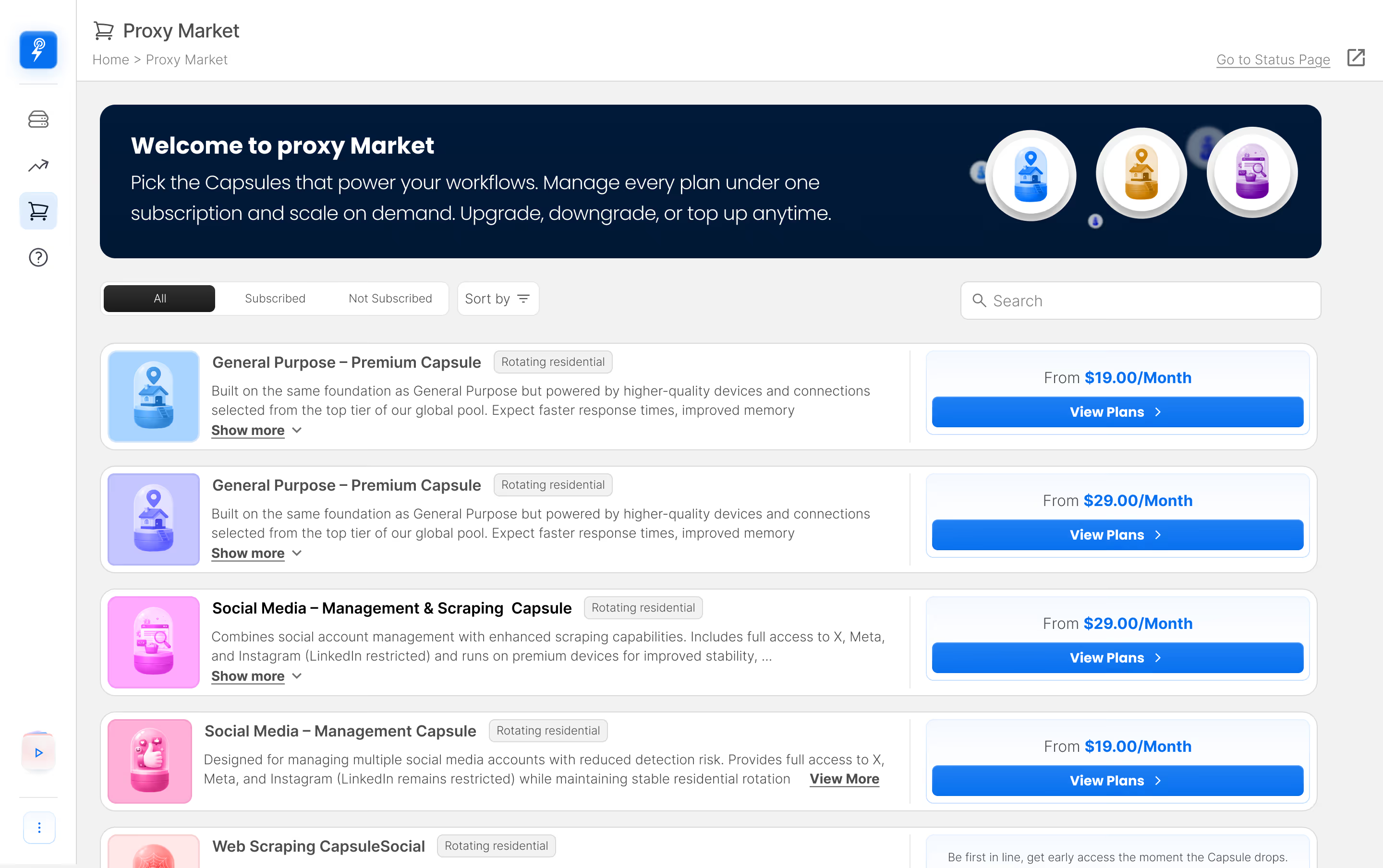
Tailored residential proxy solutions designed for specific use cases, performance requirements, and workloads.
Real stories, Real results
See how teams use MagneticProxy for scraping, verification, monitoring, and automation at scale.
Getting started is easy
Sign Up
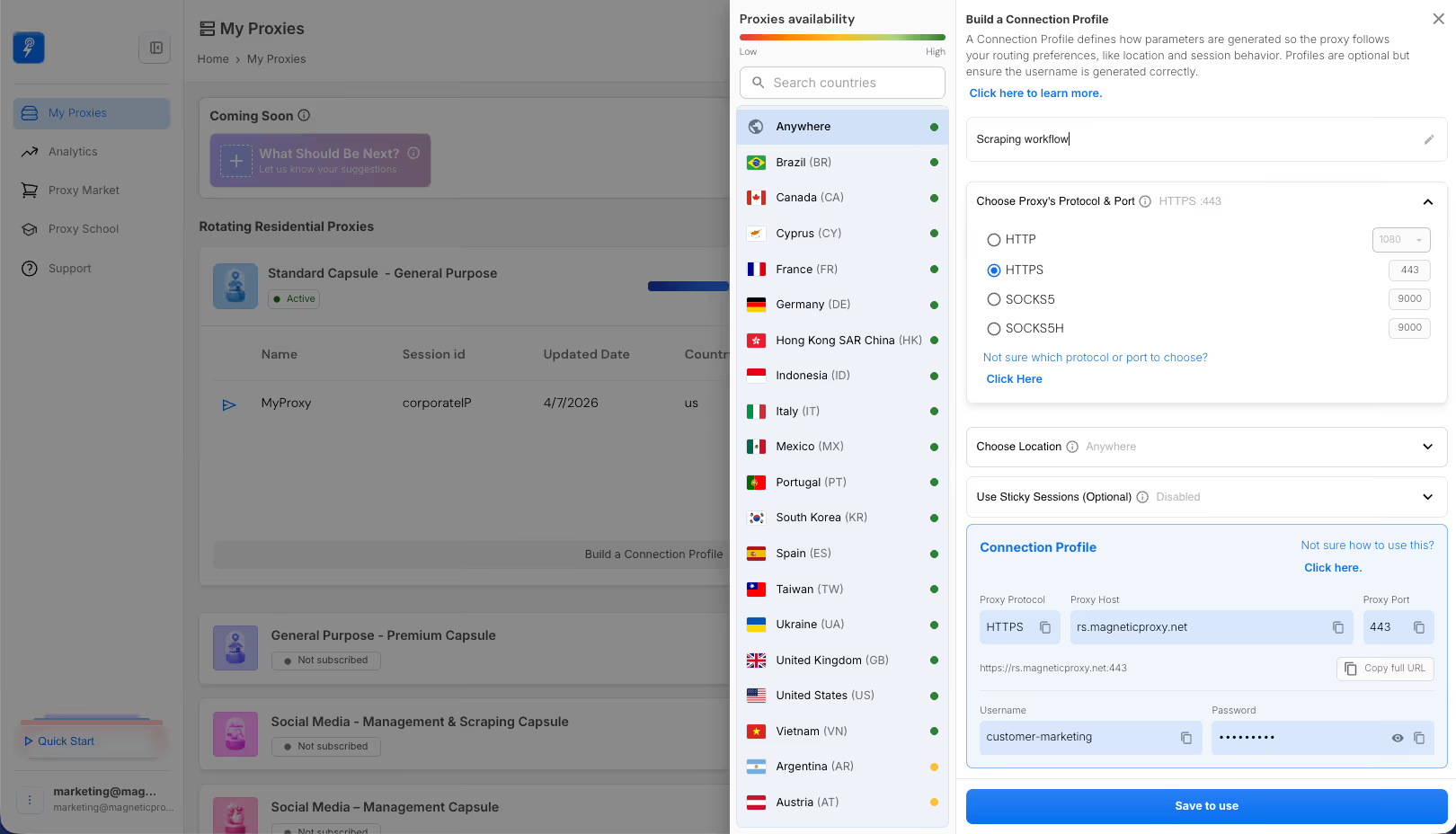
Set Your Parameters
Plug It Into Your Favorite Tool
Check Your Stats
Affordable plans, powerful proxies
Get the plan that fits you
Seamless integration with
dozens of tools and technologies
# Proxy Test Script using Python + requests
# ==============================================
# This script sends a request through an authenticated HTTPS proxy
# Useful for testing proxy rotation, headers, location, etc.
# Dependencies: Python 3.12, "requests" package
# 💡 SETUP INSTRUCTIONS:
# 1. Create a virtual environment (recommended):
# python3 -m venv venv
# 2. Activate the virtual environment:
# source venv/bin/activate
# 3. Install the required package:
# pip3 install requests
# 4. Run the script:
# python3 your_script.py
# ==============================================
import requests # External library to perform HTTP requests easily
# Proxy credentials and endpoint configuration
proxy_user = "customer-<proxy_user_name>-cc-xx-rg-zz-city-yyyy-sessid-abcde12345"
proxy_pass = "PASSWORD"
proxy_host = "rs.magneticproxy.net"
proxy_port = "443"
# Construct proxy URL with basic auth
proxy_url = f"https://{proxy_user}:{proxy_pass}@{proxy_host}:{proxy_port}"
# Define both HTTP and HTTPS proxies
proxies = {
"http": proxy_url,
"https": proxy_url
}
# Try to make a GET request through the proxy
try:
response = requests.get("https://google.com", proxies=proxies, timeout=10)
# If successful, print the response status and body
print("Status code:", response.status_code)
print("Body:", response.text)
except Exception as e:
# If something goes wrong, print full traceback
print("[ERROR] Request failed")
import traceback
traceback.print_exc()
const proxyUser = 'customer-<proxy_user_name>-cc-xx-rg-zz-city-yyyy-sessid-abcde12345';
const proxyPass = '<proxy_user_password>';
const proxyHost = 'rs.magneticproxy.net';
const proxyPort = 443;
const targetHost = 'google.com';
const targetPort = 443;
const options = {
host: proxyHost,
port: proxyPort,
method: 'CONNECT',
path: `${targetHost}:${targetPort}`,
headers: {
'Proxy-Authorization': 'Basic ' + Buffer.from(`${proxyUser}:${proxyPass}`).toString('base64')
}
};
const req = https.request(options);
req.on('connect', (res, socket) => {
if (res.statusCode === 200) {
const requestOptions = {
hostname: targetHost,
port: targetPort,
path: '/',
method: 'GET',
socket: socket,
agent: false
};
const secureReq = https.request(requestOptions, secureRes => {
let data = '';
secureRes.on('data', chunk => data += chunk);
secureRes.on('end', () => {
console.log('Status code:', secureRes.statusCode);
console.log(data);
});
});
secureReq.on('error', err => {
console.error('HTTPS request error:', err.message);
});
secureReq.end();
} else {
console.error('CONNECT error:', res.statusCode);
}
});
req.on('error', err => {
console.error('Error connecting to proxy:', err.message);
});
req.end();
$proxyUser = "customer-<proxy_user_name>-cc-xx-rg-zz-city-yyyy-sessid-abcde12345";
$proxyPass = "<proxy_user_password>";
$proxyHost = "rs.magneticproxy.net";
$proxyPort = 1080;
$ch = curl_init("https://google.com:443");
curl_setopt($ch, CURLOPT_PROXY, $proxyHost . ":" . $proxyPort);
curl_setopt($ch, CURLOPT_PROXYUSERPWD, $proxyUser . ":" . $proxyPass);
curl_setopt($ch, CURLOPT_RETURNTRANSFER, true);
curl_setopt($ch, CURLOPT_VERBOSE, true);
$response = curl_exec($ch);
if (curl_errno($ch)) {
echo "Error de cURL: " . curl_error($ch);
} else {
$httpCode = curl_getinfo($ch, CURLINFO_HTTP_CODE);
echo "HTTP code: " . $httpCode . "
";
echo $response;
}
curl_close($ch);
?>
import java.net.*;
import java.util.Base64;
public class Main {
public static void main(String[] args) {
String proxyUser = "customer-<proxy_user_name>-cc-xx-rg-zz-city-yyyy-sessid-abcde12345";
String proxyPass = "<proxy_user_password>";
String proxyHost = "rs.magneticproxy.net";
int proxyPort = 1080;
String auth = proxyUser + ":" + proxyPass;
String encodedAuth = Base64.getEncoder().encodeToString(auth.getBytes());
Proxy proxy = new Proxy(Proxy.Type.HTTP, new InetSocketAddress(proxyHost, proxyPort));
try {
URL url = new URL("https://google.com:443");
HttpURLConnection conn = (HttpURLConnection) url.openConnection(proxy);
conn.setRequestProperty("Proxy-Authorization", "Basic " + encodedAuth);
int status = conn.getResponseCode();
System.out.println("Status code: " + status);
BufferedReader in = new BufferedReader(new InputStreamReader(conn.getInputStream()));
String line;
while ((line = in.readLine()) != null) {
System.out.println(line);
}
in.close();
conn.disconnect();
} catch (Exception e) {
e.printStackTrace();
}
}
}
using System.Net;
using System.IO;
class Program
{
static void Main()
{
string proxyUser = "customer-<proxy_user_name>-cc-xx-rg-zz-city-yyyy-sessid-abcde12345";
string proxyPass = "<proxy_user_password>";
string proxyHost = "rs.magneticproxy.net";
int proxyPort = 1080;
WebProxy proxy = new WebProxy($"{proxyHost}:{proxyPort}")
{
Credentials = new NetworkCredential(proxyUser, proxyPass)
};
HttpWebRequest request = (HttpWebRequest)WebRequest.Create("https://google.com:443");
request.Proxy = proxy;
try
{
using (HttpWebResponse response = (HttpWebResponse)request.GetResponse())
{
Console.WriteLine("Status code: " + (int)response.StatusCode);
using (var reader = new StreamReader(response.GetResponseStream()))
{
Console.WriteLine(reader.ReadToEnd());
}
}
}
catch (Exception ex)
{
Console.WriteLine("Error: " + ex.Message);
}
}
}
import (
"fmt"
"io"
"net/http"
"net/url"
"strconv"
)
func main() {
proxyUser := "customer-<proxy_user_name>-cc-xx-rg-zz-city-yyyy-sessid-abcde12345"
proxyPass := "<proxy_user_password>"
proxyHost := "rs.magneticproxy.net"
proxyPort := 443
proxyURL, err := url.Parse("https://" + proxyUser + ":" + proxyPass + "@" + proxyHost + ":" + strconv.Itoa(proxyPort))
if err != nil {
fmt.Println("URL parse error:", err)
return
}
transport := &http.Transport{Proxy: http.ProxyURL(proxyURL)}
client := &http.Client{Transport: transport}
resp, err := client.Get("https://google.com:443")
if err != nil {
fmt.Println("Error:", err)
return
}
defer resp.Body.Close()
fmt.Println("Status code:", resp.StatusCode)
body, _ := io.ReadAll(resp.Body)
fmt.Println(string(body))
}
import socks
import smtplib
import socket
proxy_host = "rs.magneticproxy.net"
proxy_port = 9000
proxy_user = "customer-<proxy_user_name>-cc-xx-rg-zz-city-yyyy-sessid-abcde12345"
proxy_pass = "<proxy_user_password>"
socks.set_default_proxy(
socks.SOCKS5, proxy_host, proxy_port, True, proxy_user, proxy_pass
)
socket.socket = socks.socksocket
try:
server = smtplib.SMTP("google.com", 443, timeout=10)
print("Connected to SMTP server")
server.quit()
except Exception as e:
print("Error:", e)
-U "customer-<proxy_user_name>-cc-xx-rg-zz-city-yyyy-sessid-abcde12345"
https://google.com:443
const { SocksClient } = require('socks');
SocksClient.createConnection({
proxy: {
host: 'rs.magneticproxy.net',
port: 9000,
type: 5,
userId: 'customer-<proxy_user_name>-cc-xx-rg-zz-city-yyyy-sessid-abcde12345',
password: '<proxy_user_password>'
},
command: 'connect',
destination: {
host: 'google.com',
port: 443
}
}).then(info => {
console.log('Connected to SMTP server');
// Optional: send HELO and receive response
info.socket.write('HELO example.com');
info.socket.on('data', (chunk) => {
console.log('SMTP Response:' + chunk.toString());
info.socket.end();
});
}).catch(err => {
console.error('Connection failed:', err.message);
});
// Requires: php-socks-client (https://github.com/leproxy/php-socks-client)
// Install via Composer: composer require clue/socks-react
require 'vendor/autoload.php';
use Clue/React/Socks/Client;
use React/Socket/Connector;
use React/Socket/Connection;
use React/EventLoop/Factory;
use React/Promise/PromiseInterface;
$proxyHost = 'rs.magneticproxy.net';
$proxyPort = 9000;
$proxyUser = 'customer-<proxy_user_name>-cc-xx-rg-zz-city-yyyy-sessid-abcde12345';
$proxyPass = '<proxy_user_password>';
$loop = Factory::create();
$proxyUri = "socks5://$proxyUser:$proxyPass@$proxyHost:$proxyPort";
$connector = new Connector($loop, [
'tcp' => new Client($proxyUri, new Connector($loop))
]);
$connector->connect('google.com:443')->then(function (Connection $conn) {
echo "Connected to SMTP server
";
$conn->write("HELO example.com
");
$conn->on('data', function ($data) {
echo "SMTP response:
$data";
});
}, function (Exception $e) {
echo "Connection failed: " . $e->getMessage() . "
";
});
$loop->run();
// Download JAR or use via Maven/Gradle if available
// MAVEN EXAMPLE:
// <dependency>
// <groupId>com.github.mike10004</groupId>
// <artifactId>fengyouchao-sockslib</artifactId>
// <version>1.0.6</version>
// </dependency>import java.io.InputStream;
import java.io.OutputStream;
import java.net.Socket;
import sockslib.client.Socks5;
import sockslib.client.SocksSocket;
import sockslib.common.UsernamePasswordCredentials;
public class Main {
public static void main(String[] args) {
String proxyHost = "rs.magneticproxy.net";
int proxyPort = 9000;
String proxyUser = "customer-<proxy_user_name>-cc-xx-rg-zz-city-yyyy-sessid-abcde12345";
String proxyPass = "<proxy_user_password>";
String targetHost = "google.com";
int targetPort = 443;
try {
// Create and configure the SOCKS5 proxy client
Socks5 socks5 = new Socks5(proxyHost, proxyPort);
socks5.setCredentials(new UsernamePasswordCredentials(proxyUser, proxyPass));
// Use the connect method directly from the socks5 object
try (Socket socket = new SocksSocket(socks5, targetHost, targetPort)) {
System.out.println("Connected to " + targetHost + ":" + targetPort + " via SOCKS5 proxy");
OutputStream out = socket.getOutputStream();
InputStream in = socket.getInputStream();
// Send basic SMTP HELO command
String heloCommand = "HELO example.com
";
out.write(heloCommand.getBytes());
out.flush();
// Read response
byte[] buffer = new byte[1024];
int read = in.read(buffer);
String response = new String(buffer, 0, read);
System.out.println("Server response:
" + response);
}
} catch (Exception e) {
System.err.println("Connection failed: " + e.getMessage());
}
}
}
// Install via NuGet: Install-Package HttpToSocks5Proxy
using System;
using MihaZupan;
using System.Net.Sockets;
class Program
{
static void Main()
{
var proxy = new HttpToSocks5Proxy(
"rs.magneticproxy.net",
9000,
"customer-<proxy_user_name>-cc-xx-rg-zz-city-yyyy-sessid-abcde12345",
"<proxy_user_password>"
); using (var client = proxy.CreateConnection("google.com", 443))
{
Console.WriteLine("Connected to SMTP server");
}
}
}
import (
"fmt"
"golang.org/x/net/proxy"
)
func main() {
auth: = & proxy.Auth {
User: "customer-<proxy_user_name>-cc-xx-rg-zz-city-yyyy-sessid-abcde12345",
Password: "<proxy_user_password>",
}
dialer,
err: = proxy.SOCKS5("tcp", "rs.magneticproxy.net:9000", auth, proxy.Direct)
if err != nil {
fmt.Println("Error creating dialer:", err)
return
}
conn,
err: = dialer.Dial("tcp", "google.com:443")
if err != nil {
fmt.Println("Dial error:", err)
return
} fmt.Println("Connected to SMTP server")
conn.Close()
}
GoLogin
Scrapy
Incogniton
Puppeteer

Dolphin Anty
Selenium
Frequently Asked Questions
Check the most Frequently Asked Questions
How are residential proxies different from datacenter proxies?
Can I pick a specific country or city?
Is geo-targeting really free?
How do I ensure I’m using the fastest proxies?
How do sticky and rotating sessions work?
Can I change plans later?
Is my usage data secure?
Do I need special tools to integrate?
Latest Posts
Here’s how Profile Peeker enables organizations to transform profile data into business opportunities.